Tutorial: your first company case
In about ten minutes you will start a case on a real public company, read what Viokit found, review a possible match and write a report. You need Viokit running (how to start it) and an internet connection. No keys are needed.
We use Carillion plc, a UK construction company that collapsed in 2018. All its records are public.
1. Start
Open the console. On an empty case you see What do you want to find out? with six questions. Each has a box and a Start button.
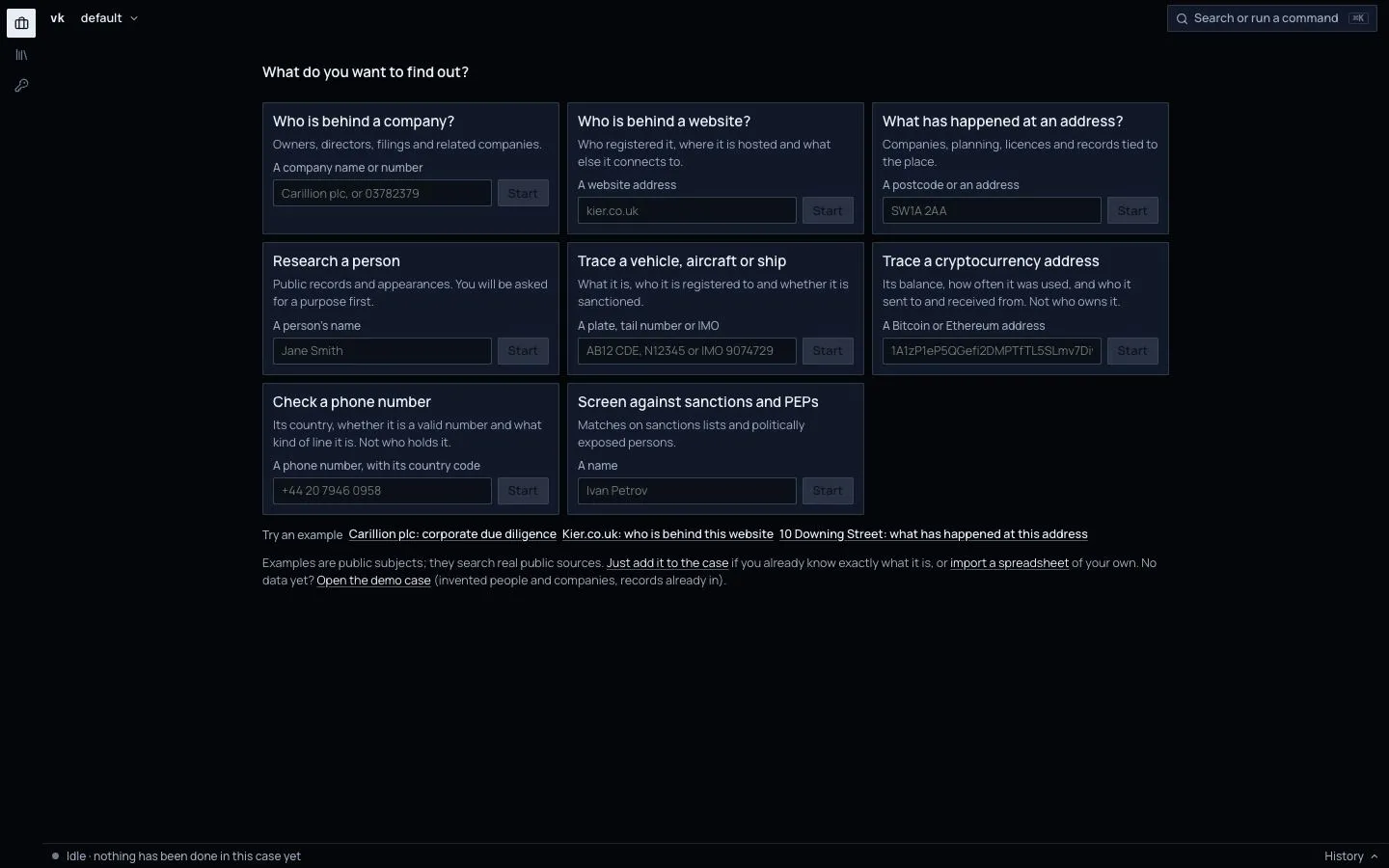
Find Who is behind a company?. Type Carillion plc in its box. Viokit says what it thinks you typed ("Looks like a company name"). Press Start.
You can also click the example "Carillion plc: corporate due diligence" under Try an example. It does the same.
2. Watch it work
Viokit now runs a line of investigation. That is a set of lookups it runs in a sensible order, each using what the last one found.
The status bar along the bottom says what is running, with progress and time, for example "Running Corporate due diligence on Carillion plc, 14 lookups done". Click History there for every run and request. It takes a minute or two.
3. Read the results
When it stops, Latest results says in plain words what was found and, just as important, what could not be checked. A lookup that needed a key you have not set shows there with the reason. That is not a failure. It is a gap you now know about.
A short tip box appears the first time. Read it, then press Got it.
4. Open the dossier
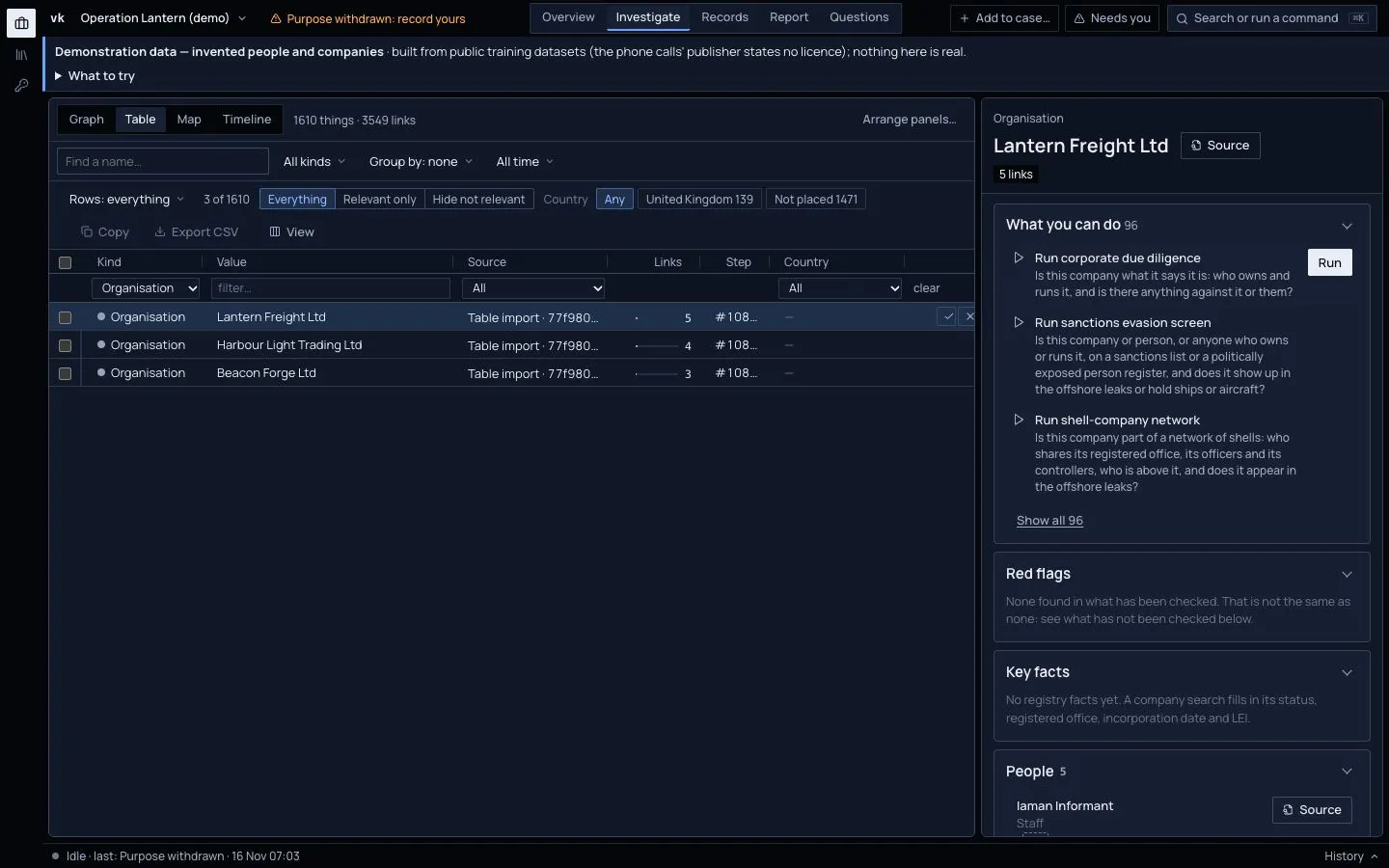
Click the company, in the Graph or in Investigate › Table. The right-hand column becomes its dossier: What you can do next, red flags, key facts (name and number, status, address), people, related companies, filings and events.
Next to each fact you see a small grade such as A1. Hover over it. It tells you how reliable the source is and how well the fact is borne out. Companies House is an official register, so its facts are graded A. See How evidence is graded.
Click any source button. The original record opens, so you can see exactly where a claim came from.
5. Look at the graph
Open Investigate and choose Graph. Each box is a thing: a company, a person, an address. Each line is a link, such as "director of". Click a company. The dossier on the right shows its details, where each fact came from and its grade.
Right-click a thing to see what you can do with it. Look things up and explore connections explains the menu.
6. Review the possible matches
The Needs you counter in the case bar counts matches waiting for you, and Overview lists them under Needs you. Open one to review it.
Each match is a proposal that two records are the same thing. For example, the company as Companies House names it and as another source names it.
- A match on a shared identifier, such as a company number, is stated as almost certain.
- A match on a name alone is only "likely" and is shown as a judgement, not a fact.
For each, read the evidence and choose Accept if they are the same, or Not the same if not. Viokit never merges records on a name alone without you. Your decision is recorded with your name and the time.
7. Write the report
Press Write the report under What you can do. The report builder opens. It lists the sections of the report. Move them up or down, or leave them out.
Open Report in the case bar for the same builder at any time.
Choose Print / Save as PDF, or download it as .docx, .html or .md. The report states its key judgements with a likelihood word, cites every source with its grade, and ends with a note on how evidence is graded and what was withheld.
What you have learned
- Start here turns a question into a run.
- Results tell you what was found and what could not be checked.
- Every fact has a source and a grade.
- You decide on matches. Viokit proposes.
Next: Who is behind a website.