For investigative journalists
Follow the company network. Show the record behind every line.
Corruption stories run through companies: fronts, nominees, a parent offshore, a director with forty appointments. Viokit follows the network through public registers, sanctions lists and leaks, and keeps the record behind every link so the story survives the lawyers.
The questions you start with
- Who really owns this company, and what else do they run?
- Is anyone in this network on a sanctions list, a PEP list or in the offshore leaks?
- Who is behind this website?
- Can I show legal exactly where each line came from?
A worked example
One company number becomes a group
A reporter has one UK company number from a planning document. With the free Companies House data packs installed, offline and without a key:
- A2The number became the parent company, the 15 active companies it controls, the officers behind them and the companies sharing their office.
- About ten seconds. Drawn by hand on a link chart, the same group was a six-hour job.
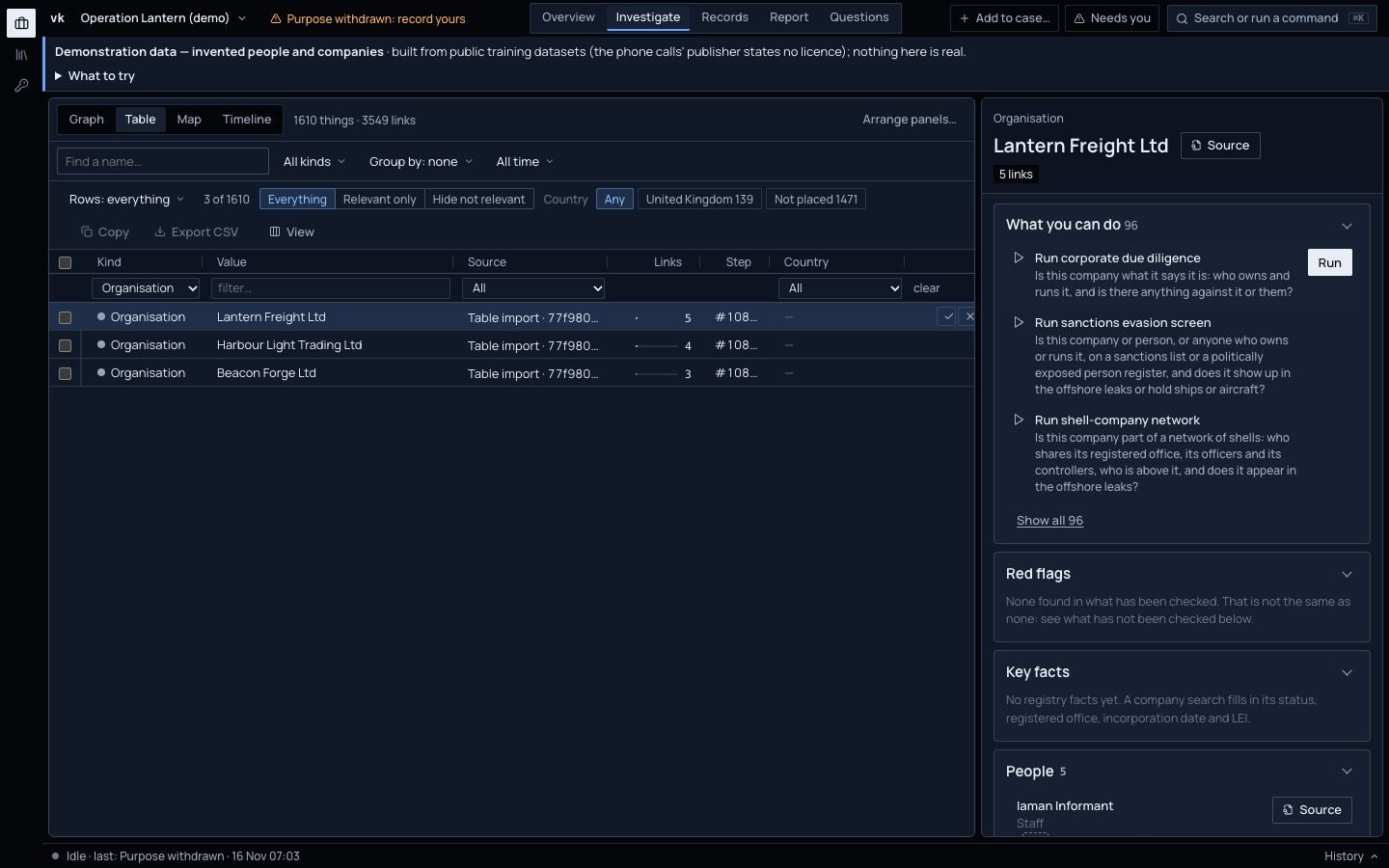
Each step side by side with the analyst's six hours, and what the run could not reach.Read the whole case
What matters for your work
Each is built today and links to the guide page that shows it, unless it is marked in progress or planned.
Company networks
Owners, officers and filings from Companies House, GLEIF and eleven more national registers, including Russia's. See what a company controls, who runs it, what else they run and who shares their address.
Evidence in the guide: Lookups and connectionsShell-company networks
A ready-made line of investigation asks whether a company belongs to a network of shells: shared registered offices, shared officers and controllers, parents, and appearances in the offshore leaks.
Evidence in the guide: Lines of investigationScreening against sanctions, PEPs and leaks
UK, EU, UN, US, Swiss and Canadian sanctions, politically exposed persons and the ICIJ Offshore Leaks, checked on your machine. A hit is a scored candidate with its reason, never an automatic match.
Evidence in the guide: Limits and honest caveatsWho is behind a website
Who registered a domain, who hosts it, what shares its address, what the web archive kept, and who the site itself names.
Evidence in the guide: Who is behind a websiteCheck a photo or post before you run it
Before you run a photo, a video or a post, check it. Capture the page as an exhibit, save a copy to the Wayback Machine, find the earliest copy an archive holds, and compare the shadows with where the sun was at the claimed place and time. Viokit works out the figures; whether it is genuine is your call, recorded with how likely you think it is.
Evidence in the guide: Verify a photo, video or web pageDocuments, photos and recordings
A leaked document, a photo or an interview recording becomes an exhibit with its custody. Read its metadata (who and what made it, as the file claims), the text in a scan and a transcript of the recording. It all runs on your machine: nothing about your source leaves it.
Evidence in the guide: Add an exhibit and analyse itVerification you can show
Every fact carries a grade for its source and for how well it is borne out, and its source opens in one click. Asking the same register twice is never counted as confirmation.
Evidence in the guide: How evidence is gradedA report your lawyer can read
Key judgements with a likelihood, every source numbered with its grade, the gaps the search met and a handling note. Written by fixed rules, not by an AI: the same case always gives the same report.
Evidence in the guide: Build a reportPeople lookups, lawfully
Lookups about people wait until the case records a purpose, such as journalism, and a lawful basis. The declaration is printed in the report.
Evidence in the guide: Researching a person lawfullyKeep watching after publication
Watch a company and Viokit re-runs its line of investigation later and tells you only what changed: a liquidation, a resignation, a new address.
Evidence in the guide: Watch a case and get alerts
Coming from i2 or Maltego?
If you have built link charts in i2 Analyst's Notebook or run lookups in Maltego, much of Viokit will make sense on day one. This is what carries over, and what works differently.
What will feel familiar
- A link chart of things and links, with layouts, grouping, conditional formatting and export as a picture.
- A timeline with a lane per person, phone or account, and a tie between lanes for each call or payment.
- Right-click a thing on the chart to run a lookup on it and draw what comes back.
- Export to Maltego as GraphML with a table of every link, and to FollowTheMoney for Aleph.
How Viokit differs
- It runs where you are
- Cases and evidence stay on your computer, or a server your organisation runs. With a data pack installed, a lookup against that list never leaves the machine.
- Evidence on every link
- Every link carries the record it came from, kept as it arrived and fingerprinted. Click any link or fact to open its source.
- Every fact graded
- Each fact is graded for how reliable its source is and how well it is borne out: A1 to F6, or the 3×5×2 form UK policing uses. Each judgement carries a likelihood with its range.
- Records analysis built in
- Phone extractions, call records, chats and bank statements go into the same case as the public records, with findings such as SIM swaps and structuring already worked out.
- Agents work under the same rules
- An AI agent you connect can do what you can do in the console, under the same evidence rules and lawful-basis gates. Its proposals wait for a person.
Not there yet: import from either tool, and export to i2. Viokit does not replace a forensic extraction tool: it reads the reports they produce.
i2 and Analyst's Notebook, and Maltego, are trademarks of their owners. Viokit is not affiliated with or endorsed by either.
What is not there yet
We would rather you hear it here than find it on a live case. The direction page says what comes next.
Where Viokit is going- Local-language press is not searched, and many countries' registers are not open to the public. The coverage map shows each gap.
- Capturing a page visits it from your computer, so the site's owner can see the visit. Save it to the Wayback Machine instead when that matters.
- Translating transcripts and text is planned (transcription detects the language but does not translate).