How to set up keys
A key is a password a service gives you so Viokit may use it. Most sources need none. A few need one, and most of those have a free plan.
See which keys you could set
Open Settings, then Keys & sources. It lists each key, what it unlocks, whether it is set (yes or no, never the value), and where to get it.
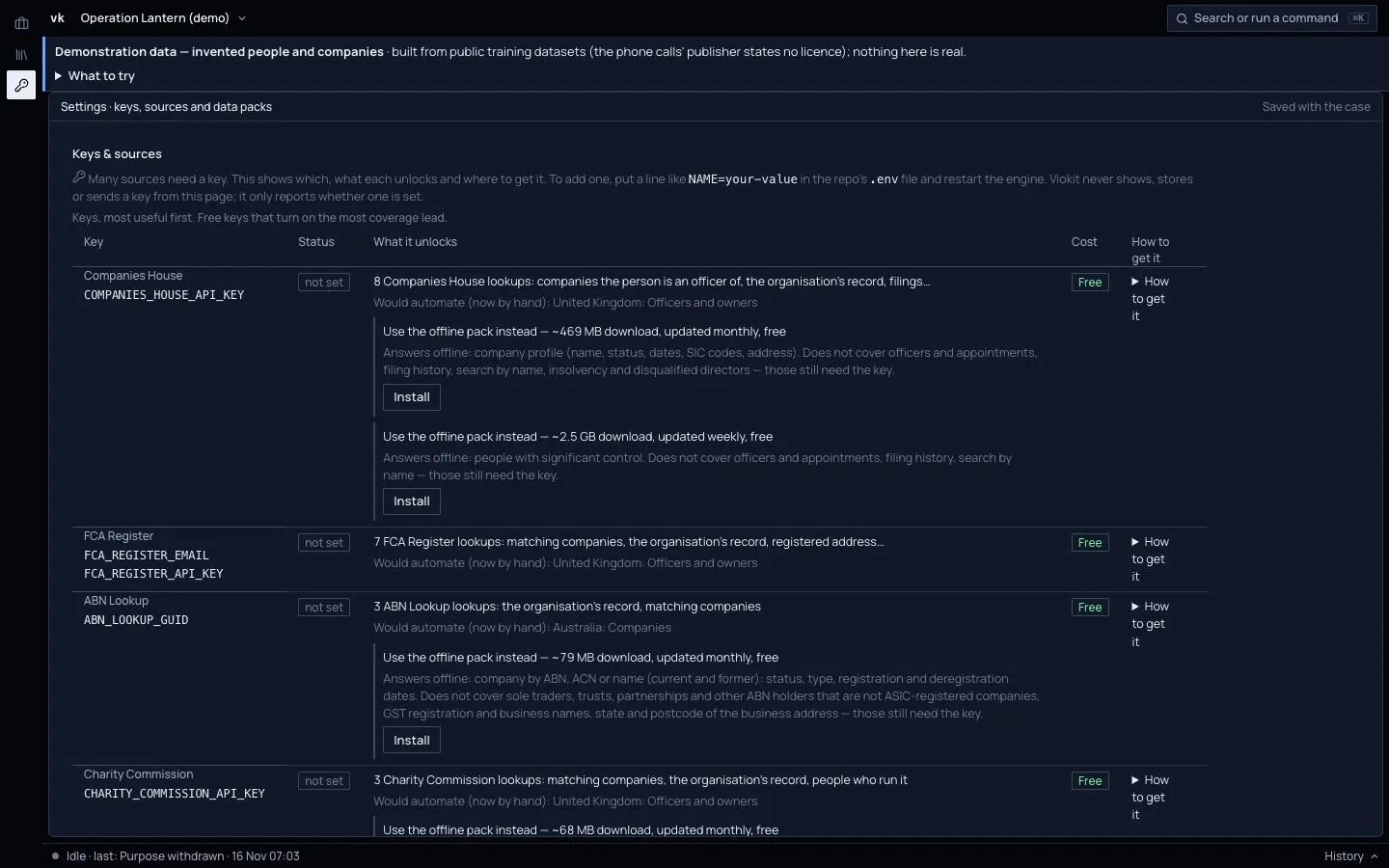
Viokit never shows, stores or sends a key from this page.
Add a key
Get the key from the service; the Settings page links to it. Keys are set where Viokit is installed, on your machine, and during early access we set them up with you. Once a key is set, Settings shows it as set: press Test beside it to check it works. Never paste a key into a note, a case or a chat.
If a lookup says it needs a key
It appears in the results with the reason. You can set the key, install a data pack that does the job offline, or do the lookup by hand and add what you find to the case in the Evidence area.
Changing or removing a key
Change or remove it where it was set, then check Settings: it shows the key as set or not set.