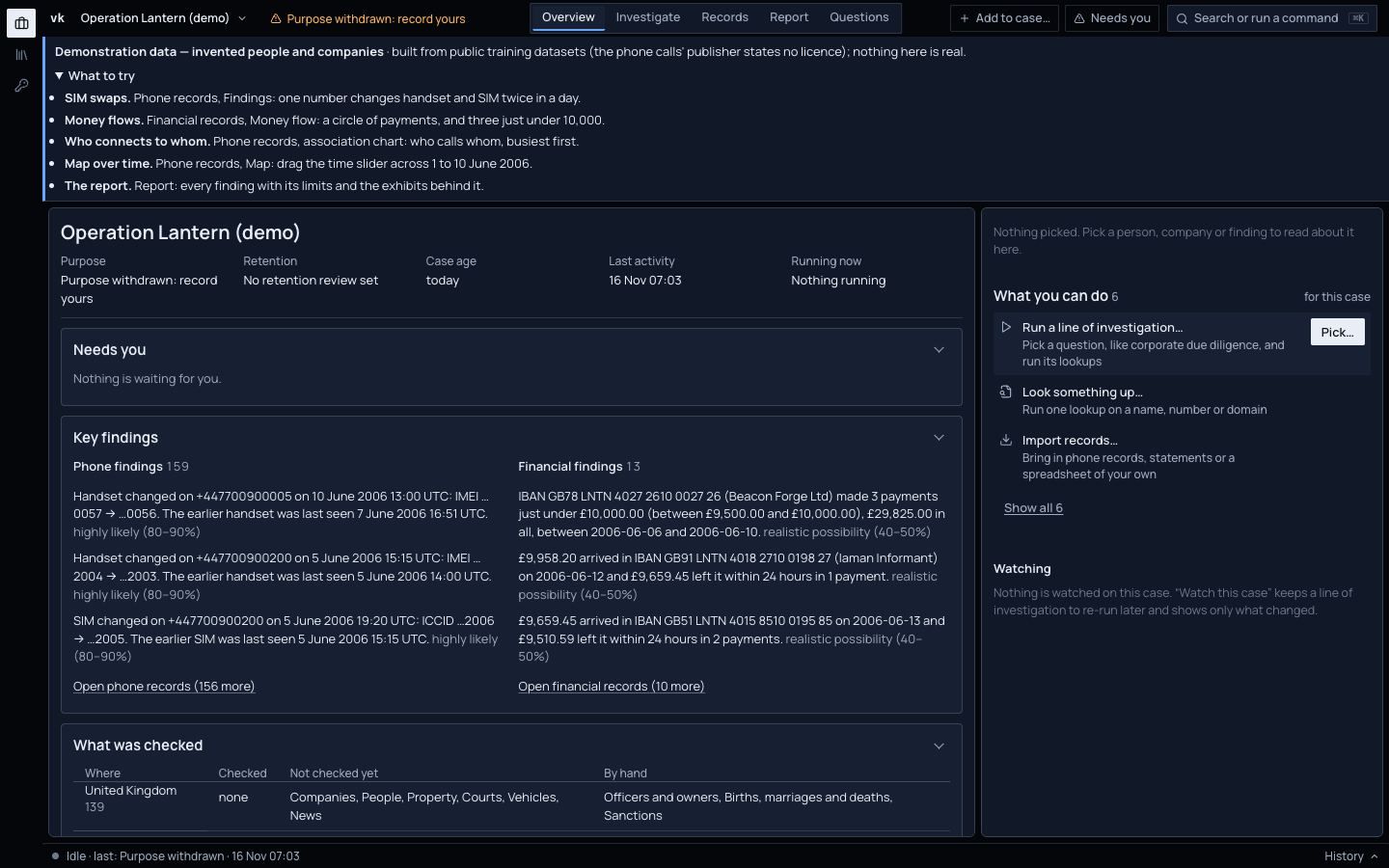
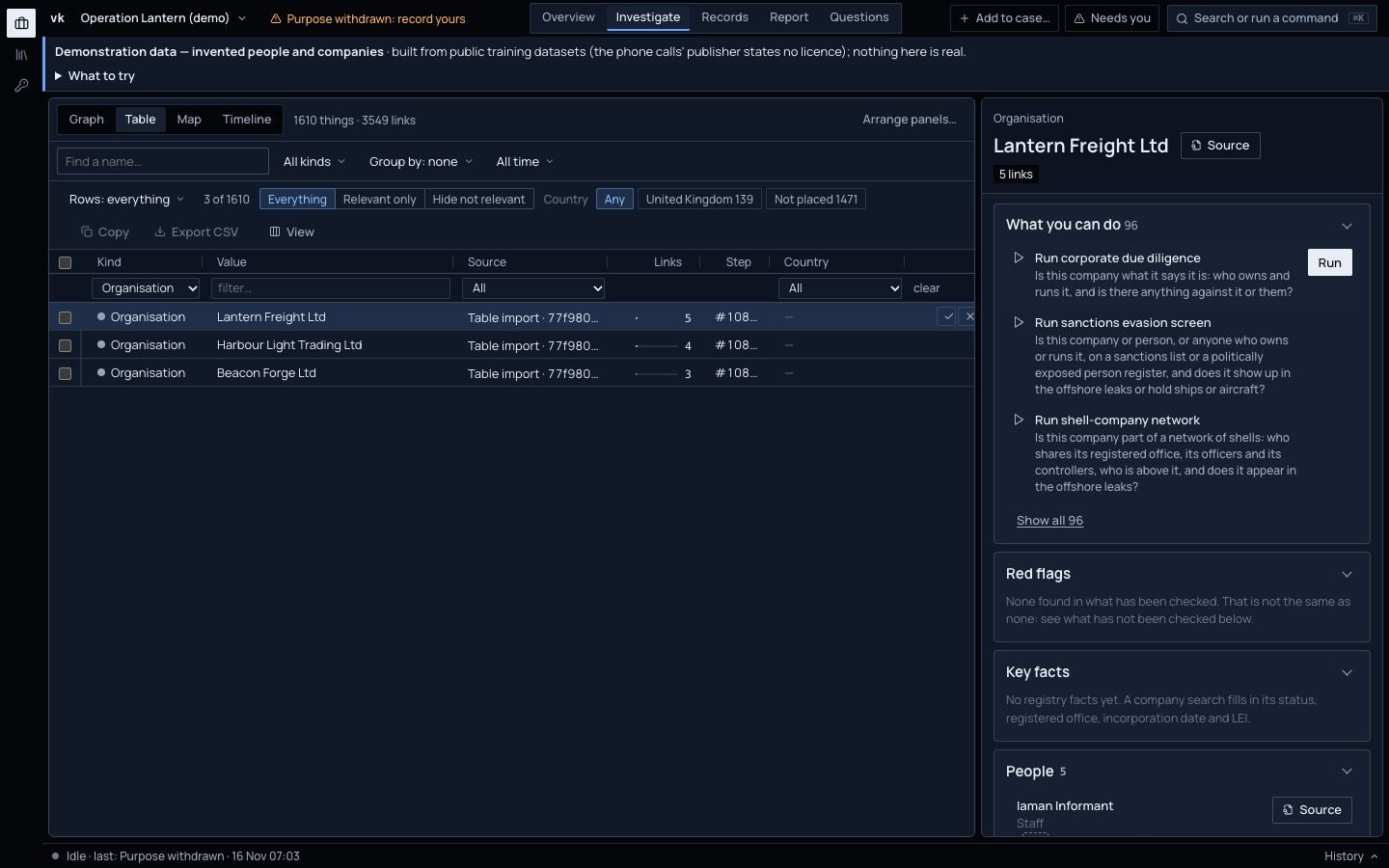
Start from a company, a website, a phone, a bank account or a crypto wallet. Viokit searches public registers, sanctions lists and leaks, follows each new lead, and shows the record behind every link and how far to trust it.
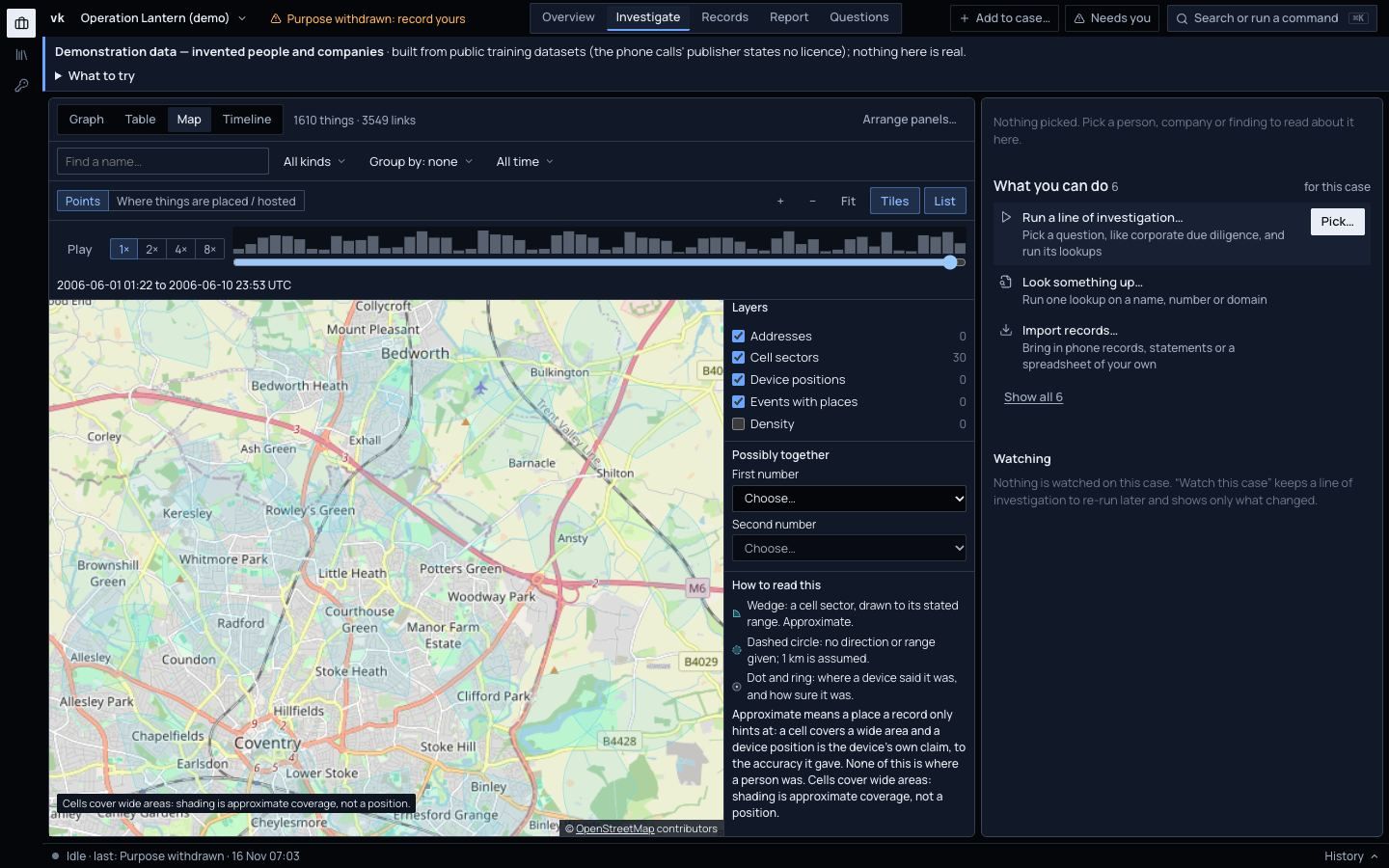
1The purpose for people lookups. Orange means it needs you.
2Key findings, each with how likely it is, in words and a range.
3What you can do next. Each action says what it will do.
4What was checked, country by country, and what was not.
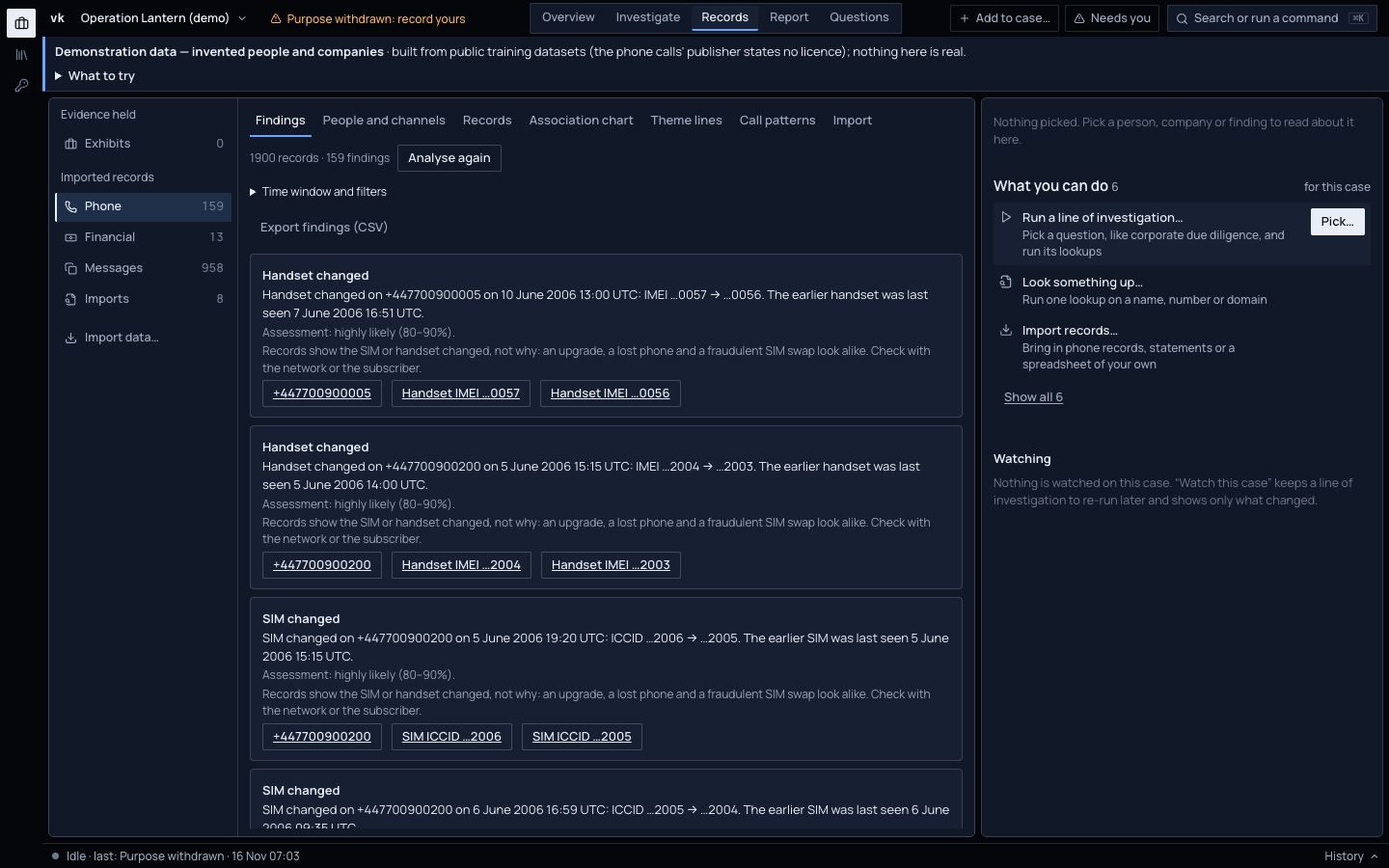
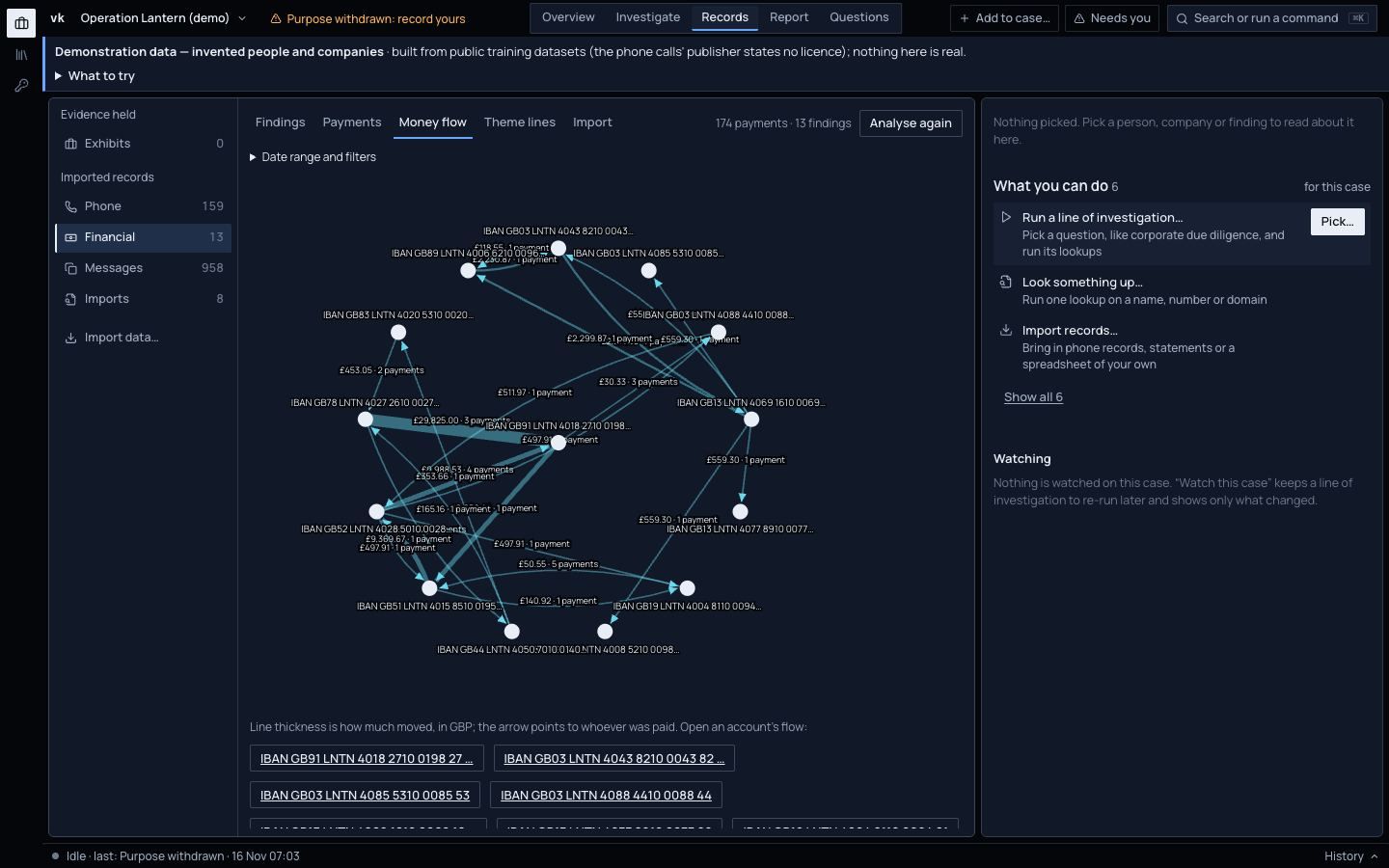
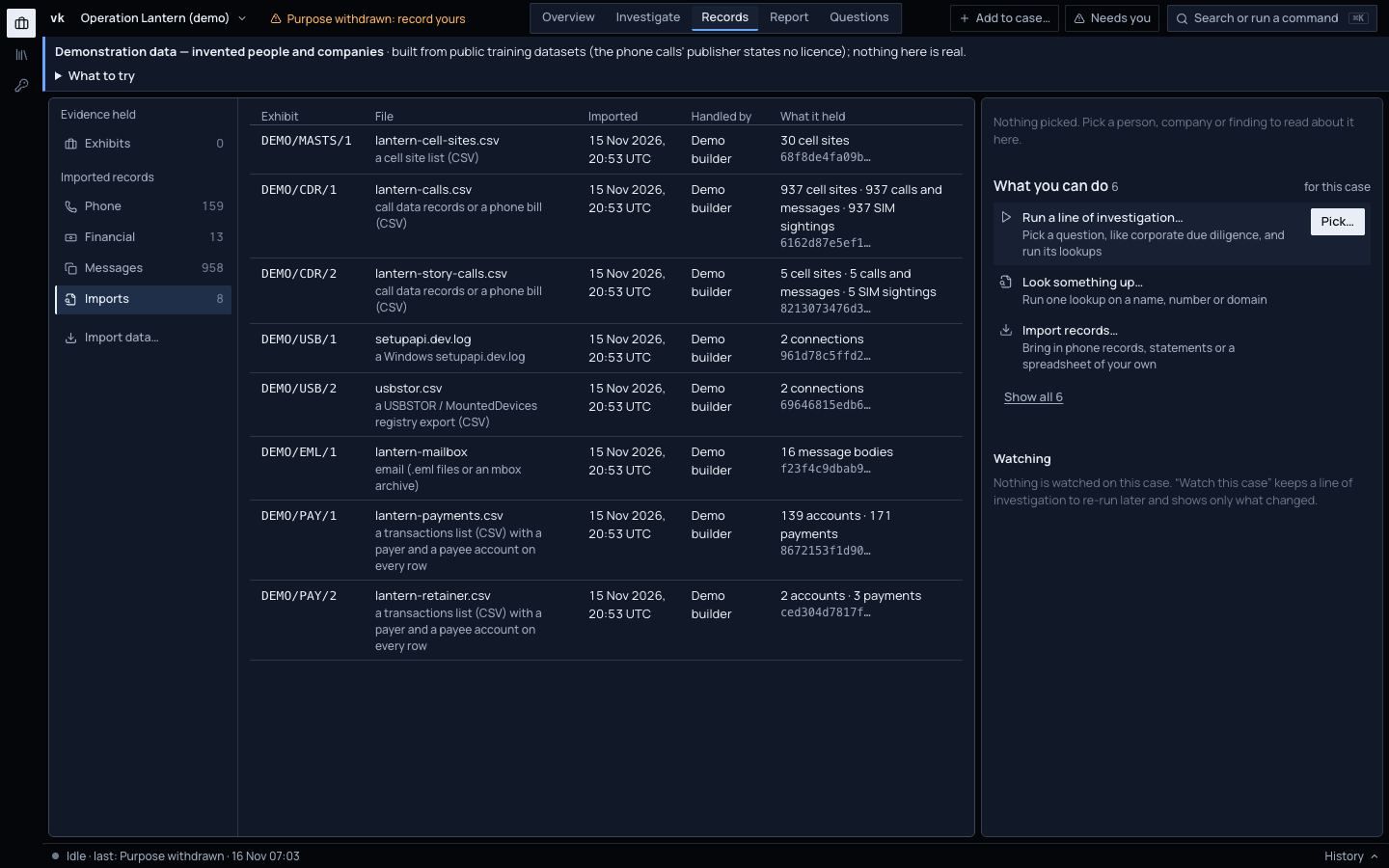
The real console on the demo case, Operation Lantern. Every person and company in it is invented.
The demo case
Start with one company.End with the evidence for each link.
This is the demo case that ships with Viokit. It starts with a freight company and ends with a report a lawyer can read.
5 steps. Swipe to follow the case.
Company1 / 5
A company becomes a group
Give Viokit a company number. It reads the register and the owners data, finds the parent, every company it controls, the directors behind them and the companies sharing their address. On a real UK group that was a six-hour link-chart job. It took about ten seconds, offline.
Import a phone extraction or call records. Viokit finds handset and SIM changes, who calls whom and when, and says what the records cannot: an upgrade, a lost phone and a fraudulent SIM swap look alike.
Add the bank statements. Three payments just under £10,000 in five days. Money that arrives and leaves within a day. Each finding links to the transactions behind it and says how likely it is.
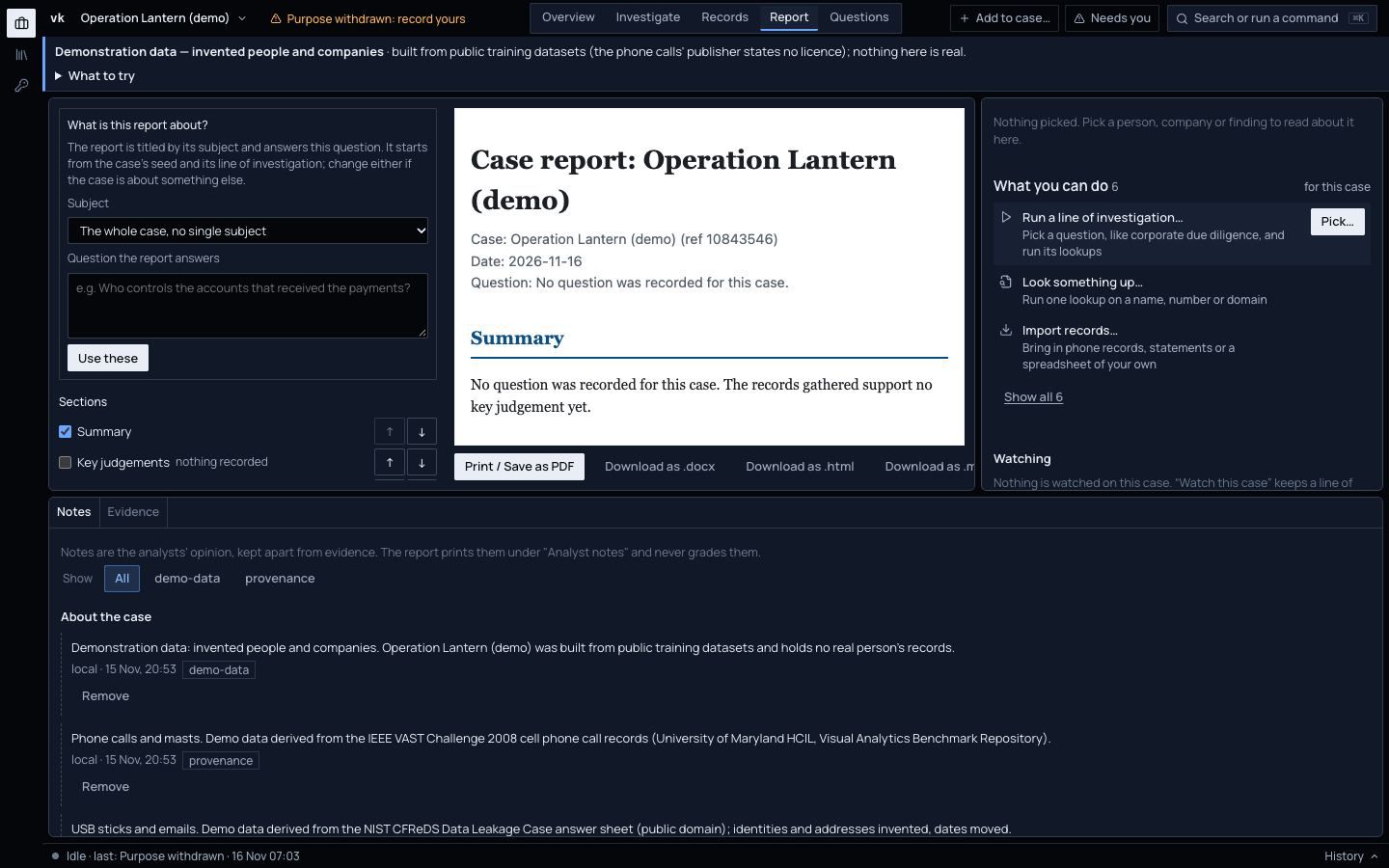
Build the report: methodology, findings, limits and an evidence appendix, as HTML, Word, PDF or Markdown. Or export the whole case as a signed bundle anyone can verify.
Every link Viokit draws carries the record it came from, a grade for that record, and what the record cannot tell you. The report prints all three.
Harrowgate Holdings Ltd is the parent of Lanyard Freight Ltd, graded A1.CompanyHarrowgate Holdings Ltdis the parent ofA1CompanyLanyard Freight Ltd
1
The record
14 Nov 2026 · SHA-256 9c41…e07a
The owners register at Companies House, kept byte for byte as it came back, with when it was fetched and its fingerprint.
2
The grade, and why
A1 · also recorded by GLEIF
A: an official register, completely reliable as a source. 1: borne out by a second publisher's record. Asking the same register twice would not count.
3
What it cannot tell you
Not the same as true
A register records what was filed. Nobody checked it. The reason travels with the grade, into the report.
Illustrative: both companies are invented. The grade and its reason are the ones Viokit gives a register entry another publisher confirms.Evidence in the guide: How evidence is graded
What's new
New this week.
Viokit is in early access and changes every week. This is what landed most recently.
· Verify
Verify a photo, video or web page, check by check
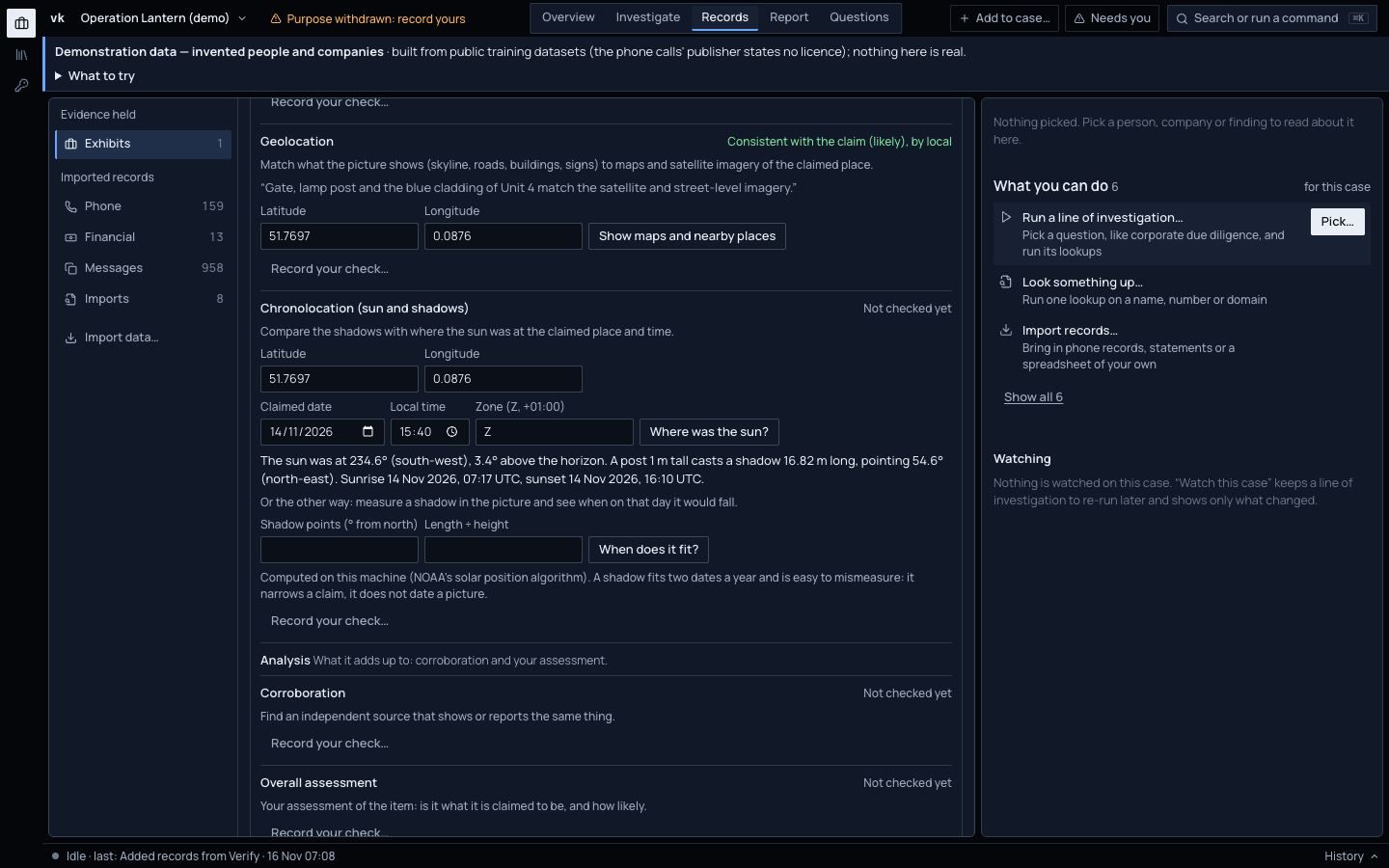
Before you rely on a photo, a video or a post, work through the checks of the Berkeley Protocol, in its phases: preservation, verification and analysis. Pick an exhibit and Verify sits below its custody log: source and uploader, first appearance, metadata, place, time, corroboration and your overall assessment. Viokit runs the look-ups and works out the figures; it never decides whether an item is genuine. Each conclusion is yours: consistent with the claim, contradicting it or inconclusive, how likely you think it is, and what you compared. A check is never changed; to revise one, record another.
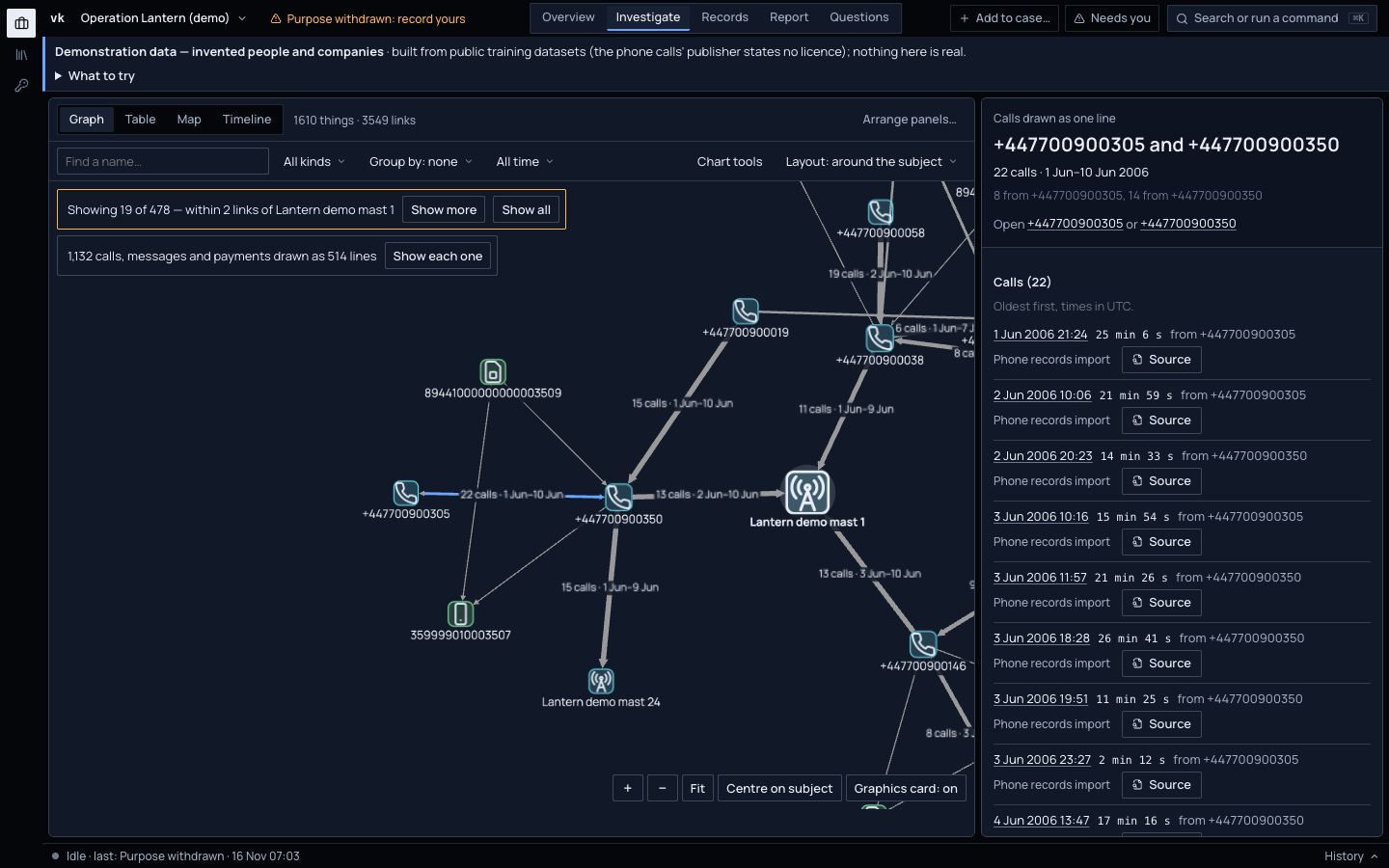
A phone case used to fill the chart with one box per call. Now, in a case with ten or more calls, messages and payments, the chart draws one line between each pair of phones or accounts, thicker for more. A line reads “22 calls · 1 Jun–10 Jun” or “3 payments · £29,825”. Click it to list every call or payment behind it, each with its source.
Any file becomes an exhibit.Every reading points back to it.
A witness's photo, a voice memo, a video, a document, a physical item described and photographed. Each becomes an exhibit: kept byte for byte, with who produced it, who handed it over, under what authority, and a custody log. What a tool reads from it is kept as an exhibit of its own, pointing back to the original.
Any file up to 256 MB, or a physical item described and photographed. Fingerprinted on arrival.
Read on your machine
Metadata, text in images, speech, key frames and extra fingerprints for known-file lists. Nothing is sent anywhere.
Readings, not facts
Metadata can be edited; machine readings can be wrong. Each reading is graded and says so.
Exhibits · Operation Lantern (demo)
3 exhibits. Swipe for the next.
EXH/AP/3Photograph of the van at the yard gateIMG_0412.jpg · 6.2 KB
Read metadataEXH/AP/3/metadataSource C
The file's metadata says it was taken at 51.771° N, 0.101° E on 14 Nov 2026, 16:12. It does not say which time zone.
Metadata can be edited. Shown on the map as the file's claim, probable at best.
Read textEXH/AP/3/ocrSource C
“HARLOW FABRICATION · UNIT 4 · DELIVERIES 7AM–4PM”
Read by machine. Check names and numbers against the image.
EXH/AP/4Voice memo from Witness Bmemo-14nov.m4a · 1.3 MB
Transcribe speechEXH/AP/4/transcriptSource C
00:04 “He said the van comes back Thursday, after dark.”
Machine transcription, made on this computer. Listen before relying on a phrase.
EXH/AP/5Video from the yard camerayard-camera.mp4 · 48 MB
Take framesEXH/AP/5/frame-00030
A still every 10 seconds, each kept as an exhibit you can open.
The video's own picture at that moment. What it shows still needs interpreting.
Show the custody log for EXH/AP/3
Custody log EXH/AP/3
14 Nov 16:20 UTCReceived by DC A. PatelFrom Witness B, handed over voluntarily
15 Nov 09:05 UTCCopied by R. Osei, digital unitWorking copy made; original sealed in bag 004512
15 Nov 09:12 UTCExamined by R. OseiRead metadata → EXH/AP/3/metadata
15 Nov 09:13 UTCExamined by R. OseiRead text → EXH/AP/3/ocr
SHA-256 cf3bbafa…cb8645f6
Each entry names the file's fingerprint. The log only grows: a correction is a new entry.
Illustrative. The photograph and its custody log are from the demo case, where every person is invented; the readings show what each tool gives back.
Then check it against the claim.
A photo, a video or a post found online is a claim about where and when. Verify takes each exhibit through the Berkeley Protocol's checks. Viokit runs the look-ups and works out the figures. Whether the item is genuine is your call, recorded under your name with how likely you think it is.
Preserve
Capture a web page or post as an exhibit: every request and reply, a full-page screenshot and the page as the browser drew it, each fingerprinted, with custody. Save a copy to the Wayback Machine. A capture visits the site, so its owner can see it; Viokit says so first.
Verify
The earliest copy an archive holds: the item existed no later than that, though it may be older. Where the sun was and the shadows it cast, worked out on your machine. Maps, imagery and the nearest named places. Reverse-image search links you open yourself.
Analyse
Corroboration and your overall assessment: consistent with the claim, contradicting it or inconclusive, with a likelihood. A check is never edited; to revise one, you record another.
The demo case. The place is recorded as consistent with the claim, likely, by the analyst; the sun's position is worked out for the claimed time.
Grading
Every link graded, with its reason.
Nothing goes into a case without the evidence behind it. Viokit keeps every answer as it came back, and grades two things separately: how good the record is, and how sure it is about what the record means.
Judge the likelihood
Likelihood uses the UK probability yardstick, the scale UK Defence Intelligence uses. The words always carry their range, and the gaps between bands are on purpose: they stop a word sounding more exact than the evidence.
Nothing is ever called certain. A claim nobody has assessed shows no word at all.
4 cards on grades and records. Swipe for the next.
Grade the evidence
The letter says how far the source can be relied on. The number says how far this fact is borne out. Asking the same register twice is not confirmation.
Show all 36 grades
Admiralty grades: source reliability A to F by how far the fact is borne out, 1 to 6
1Confirmed
2Probably true
3Possibly true
4Doubtful
5Improbable
6Cannot be judged
ACompletely reliable
A1
A2
A3
A4
A5
A6
BUsually reliable
B1
B2
B3
B4
B5
B6
CFairly reliable
C1
C2
C3
C4
C5
C6
DNot usually reliable
D1
D2
D3
D4
D5
D6
EUnreliable
E1
E2
E3
E4
E5
E6
FCannot be judged
F1
F2
F3
F4
F5
F6
A1
A register entry another publisher confirms.
D4
A name from a whois record, and nothing else.
UK policing can show the same grade in the 3×5×2 form.
Every answer is kept byte for byte and fingerprinted. Every import gets an exhibit reference and a custody record. A signed case bundle lets someone else check that nothing changed.
Twenty-four jurisdictions, nine kinds of record. Viokit tells you what it looked up for you, what you have to check by hand and where, and what is not public at all.
Looked up for you
113
Check by hand
62
Not public
41
Each square is one kind of record in one jurisdiction: 216 in all. 84 sources, each graded A to F with the reason: 68 work as they are and 15 need a free or paid key.
Coverage by kind of record (rows) and jurisdiction (columns)
An AI agent you connect follows the same rules as you.
Anything you can do in the console, an AI agent you connect can do too, under the same evidence rules and the same lawful-basis gates. Optional AI suggestions rank the next steps Viokit already offers. They are off by default.
Before anything is sent, Viokit searches it for any personal value in the case. If it finds one, nothing is sent. A model on your own computer sends nothing out.
The kinds of thing in the case, labelled E1, E2, never named
Which lookups ran and whether they found anything
The grade of each source used
The list of possible next steps
What the AI never sees
Names or details of people
Phone numbers, emails, devices and SIM cards
Addresses, usernames, accounts and vehicles
Your notes and the text of evidence
Proposed by the machine. Decided by a person.
How a proposal is decided, in three steps
1
Proposed
Whether you or an agent ran the lookup, a possible merge or a screening hit arrives as a proposal: its basis, how likely it is and how confident. A name alone is never proposed.
2
Decided
A person accepts or rejects each one in Matches to review, with a reason if they want one.
3
Recorded
The decision is a new entry in the case history, with who and when. The proposal stays. A rejected pair is never proposed again, and the report says who accepted what.
In progressAsk a question, and agents work it end to end across the tools, then hand back draft findings as proposals like this one, for a person to accept or reject.
Match to reviewLikely · moderate confidence
One person?
Maria ReyesCompanies House officer · born Mar 1979
Maria L. ReyesThe Gazette notice · born Mar 1979
BasisSame name, same month and year of birth
AcceptReject
Accepted by R. Osei · 15 Nov 2026, 09:20“Same service address in both filings.”
A data pack is a local copy of a public list or register. With one installed, lookups run on your computer: no key, no network, and fast. Each pack states its size, how often it changes, its licence and its gaps.
Pack
Download
On disk
Publisher updates
Licence
Cost
Companies House companiesCompanies House
469 MB
820 MB
Monthly, within five working days of the 1st
Open Government Licence v3.0
Free
Companies House owners (PSC)Companies House
2.5 GB
1.2 GB
Daily snapshot
Open Government Licence v3.0
Free
UK Sanctions ListForeign, Commonwealth and Development Office
22 MB
5 MB
As designations change, often several times a week
Open Government Licence v3.0
Free
OFAC SDN listUS Treasury, Office of Foreign Assets Control
7 MB
13 MB
As designations change, often several times a week
US government work (public domain)
Free
EU consolidated sanctions listEuropean Commission
25 MB
11 MB
As designations change
European Commission reuse notice
Free
UN Security Council consolidated listUnited Nations Security Council
GLEIF LEI golden copyGlobal Legal Entity Identifier Foundation (GLEIF)
510 MB
1.3 GB
Three times a day (full file daily)
CC0 1.0 (GLEIF golden copy and Level 2 data)
Free
HM Land Registry Price Paid DataHM Land Registry
396 MB
650 MB
Monthly (the files are regenerated after each month's registrations)
Open Government Licence v3.0
Free
SEC company tickersU.S. Securities and Exchange Commission
under 1 MB
2 MB
Business days
US government work (public domain)
Free
Swiss SECO sanctions listSwiss State Secretariat for Economic Affairs (SECO)
8 MB
6 MB
As designations change
opendata.swiss terms of use
Free
UK charity register and trusteesCharity Commission for England and Wales
68 MB
85 MB
Daily
Open Government Licence v3.0
Free
US Consolidated Screening List (export-control and non-SDN lists)US International Trade Administration
34 MB
4 MB
Daily
US government work (public domain)
Free
No pack matches that. Try a publisher, a country or a kind of list.
Not offered: Companies House officers (Companies House). The publisher sells it, and a pack will appear only if resale is allowed.
Checking for updates downloads nothing. When a sanctions list changes, each added name is searched in your cases and a match is raised for you to review.
Anyone can build a tool pack.You choose which ones run.
A newsroom, an NGO, a police technical unit or a researcher can build a lookup or analysis tool and publish it as a pack. Install it from Settings and its tools run beside the built-in ones, in every case.
You see who made itEvery pack shows who made it, its licence, and whether someone you trust signed it.
Only the sites it declaresA pack names the sites it may contact. Viokit blocks any other.
Community code runs sealed offCode from a pack installs only when someone you trust signed it, and runs sealed off from your files and the network.
RDAP for .com domains (Verisign)By Viokit example · MIT licence
Looks up
A .com domain
Finds
Its registrar and name servers
Reliability
A · Completely reliableThe registry's own record
May contact
rdap.verisign.com onlyViokit blocks any other site
Signature
Not signedAllowed: it brings no code
The worked example, as Settings › Tool packs lists it. It brings no code of its own, so it installs unsigned.
Where Viokit is going · direction, not yet built
A workbench for any investigation.
The aim is any tool on any kind of evidence, from official registers to analysis tools the community builds, with agents that work a question end to end and propose findings for people to decide.
Built this week: verifying photos, videos and web pages, exhibits with custody, and tool packs anyone can build. Now: agents that work a question end to end
A pilot is early access for your team: Viokit on your own machine, the demo case first, then a case of your own. This is what to expect, and what we will not promise.
1
On a machine you choose
Viokit runs on a computer you choose, or a server your organisation runs. There is no Viokit cloud, no account with us, and it does not report usage back.
Operation Lantern ships with Viokit, and every person and company in it is invented. Your team can try every step on this page before any real data goes in.
Your records stay where Viokit runs. With data packs installed, many lookups never leave the machine. The security page lists what every other lookup sends, and to whom.
We work directly with each early-access team: getting Viokit running, and hearing what your cases need next. The whole user guide is public, so you can check what it does first.
5
Terms agreed with you
There is no price list yet. Terms for early access are agreed with each organisation.
6
When it ends
Your cases stay with you, as do the reports and case bundles you made. There is no account with us to close.
What we will not promise
No certification or accreditation. Viokit works to the ACPO/NPCC principles and ISO/IEC 27037, and is not certified against them. If your organisation validates a tool before its output is relied on, a pilot is where to test it.
It does not replace a forensic extraction tool. It reads the reports those tools produce.
It changes every week. Everything that ships is listed on the What's new page, in plain words.
On your own computer. Your cases stay there. Lookups go to the public sources they name; with a data pack installed, the lookup never leaves your machine.
Do I need API keys?
Many sources need nothing at all. Some ask for a key, often free, which you set once; Settings shows which keys are set and what each opens. A data pack can stand in for some keyed lookups. Companies House is the key worth getting first.
Which phone and bank records can it read?
Cellebrite UFDR, XRY, Android and iOS extractions, call records, cell sites, location history, WhatsApp, Telegram, email, USB, Bluetooth and Wi-Fi artefacts, bank statements and any spreadsheet. Each import is hashed and given an exhibit reference.
Is a sanctions hit a match?
No. A sanctions, wanted-list or watchlist hit on a name is a scored candidate with its reason. You accept or reject each one. And no hit does not mean clear: the report says what was screened and when.
Does an AI see my case?
Only if you turn AI suggestions on, and then only the shape of the case: kinds of thing, counts, which lookups ran, grades. Never names of people, numbers, addresses, notes or evidence text. A model on your own computer sends nothing out.
How do I share what I found?
As reports in HTML, Word, PDF or Markdown with methodology, limits and an evidence appendix; as a signed case bundle; or as FollowTheMoney and Maltego exports.
Which countries does it cover?
Best in the UK, with the registers of eleven other countries, international sanctions and leak data, and global web and network tools. The coverage map lists every jurisdiction and kind of record, including the ones you have to check by hand.
Do data packs cost anything?
Every data pack offered today is free, including those whose publisher allows only non-commercial use; those say so. Where a publisher sells its data, a paid pack will appear only if resale is allowed, priced up front. None is on sale yet.
Bring it your hardest case.
Viokit is in early access for newsrooms, financial-crime teams, law-enforcement analysts and human-rights investigators. There is no price list yet: terms for early access are agreed with each organisation. Tell us who you are and we will be in touch.