How to build a report and export the case
The report
Open Report in the case bar, press Write the report in What you can do, or press Ctrl K (⌘K on a Mac) and type "report".
The report builder opens, with your notes and the evidence below it.
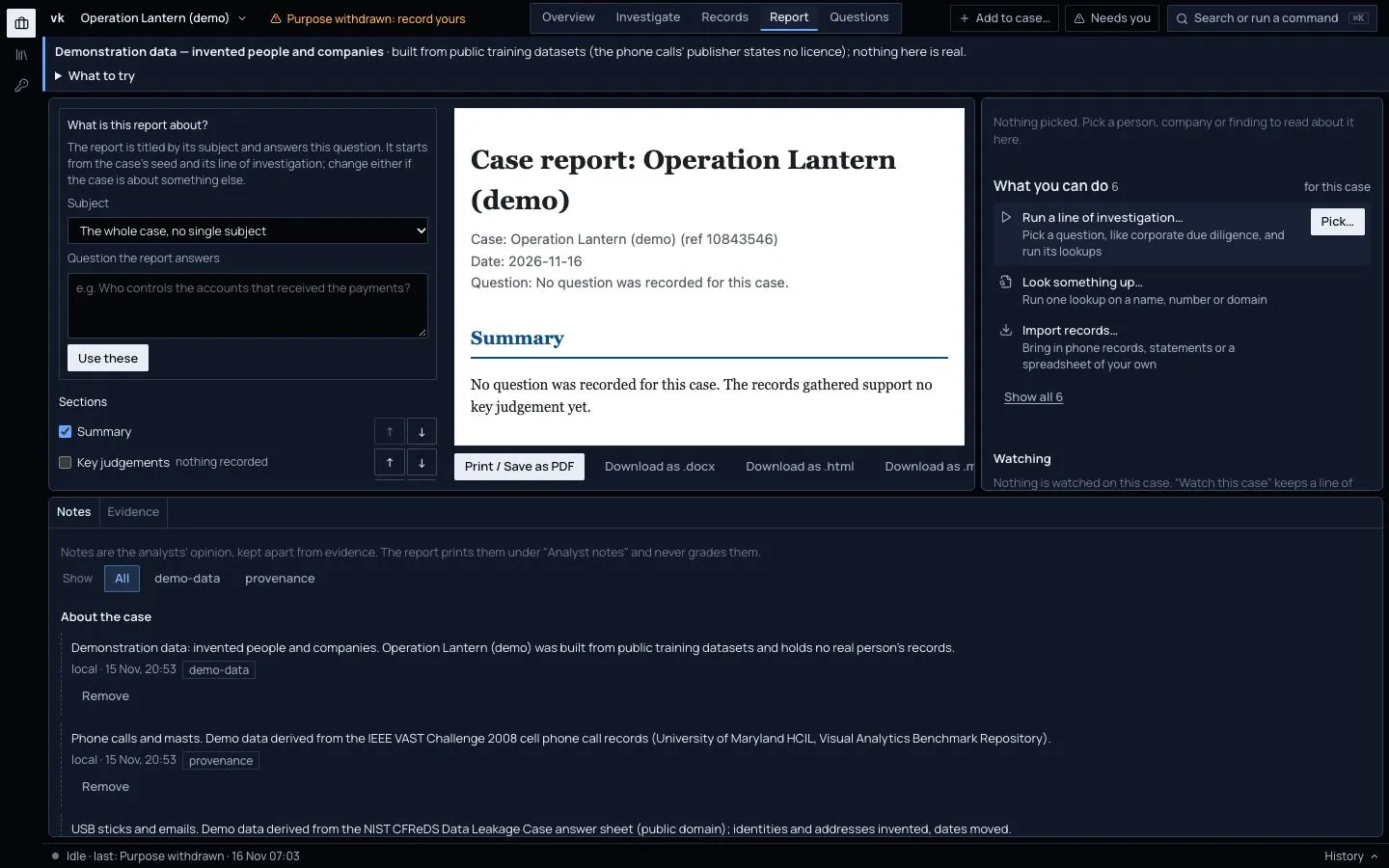
- The first time you write a report for a case, it asks What is this report about? Pick the Subject and write the Question the report answers, then press Use these. It starts from the case's seed and the question of its line of investigation, if it has them. A case of imported records has neither, so the report is titled by the case until you choose. Your choice is kept with the case; press Change to change it.
- The left side lists the sections. Use the arrows to move one up or down. Leave out any you do not want.
- The right side shows the report as it will read.
- Choose how to keep it:
- Print / Save as PDF opens your browser's print window. Choose Save as PDF there.
- Download as .docx for Word.
- Download as .html, one file with no outside parts. It opens offline and can be emailed.
- Download as .md, plain text.
What is in it
- A heading with the question, the case and the date.
- Key judgements. Three to seven sentences. Each has a likelihood word and a confidence of high, moderate or low.
- Entities of interest, a timeline, connections, and coverage and gaps, including record types no automated source reached.
- Sources. Each one numbered, with its grade and reason, and when you accessed it.
- A handling note saying what was left out and why.
- New since the last time, if a watch found changes.
The report is written by fixed rules, not by an AI. The same case always gives the same report. Every statement points back to its source.
Possible matches you have not decided are printed as separate things, not merged. Anything from a restricted or sensitive dataset is withheld unless you choose to include it.
Export the case for another tool
Under What you can do, choose Export:
- Maltego (GraphML + CSV). A graph to open in Maltego and a table of every link.
- Aleph / OpenSanctions (FollowTheMoney). One file for Aleph, OpenSanctions or another case.
Grades travel with the data. Material that is withheld, such as erased people or restricted datasets, is left out, and the export tells you how many steps were left out.
Save a chart as a picture
See How to arrange, format and export a link chart.
Export the findings from phone and bank data
See How to find SIM swaps and call patterns and How to follow money-flow patterns.