How to find SIM swaps and call patterns
First import the records. Then open Records in the case bar and pick Phone on the left. Its tabs are Findings, People and channels, Records, Association chart, Theme lines, Call patterns and Import.
Read the findings
The findings are cards. Each has a sentence about the records, a likelihood word, what it cannot tell you, and links to the records behind it. They describe patterns. They never say anyone did anything wrong.
Findings include:
- SIM changes. The same handset used with a different SIM, or a SIM moved to a different handset.
- Handset changes. A number appearing on a new handset.
- Numbers used together. Calls or messages at the same times.
- Places. Which cells a number used. A cell is a wide area, not a point. See Limits.
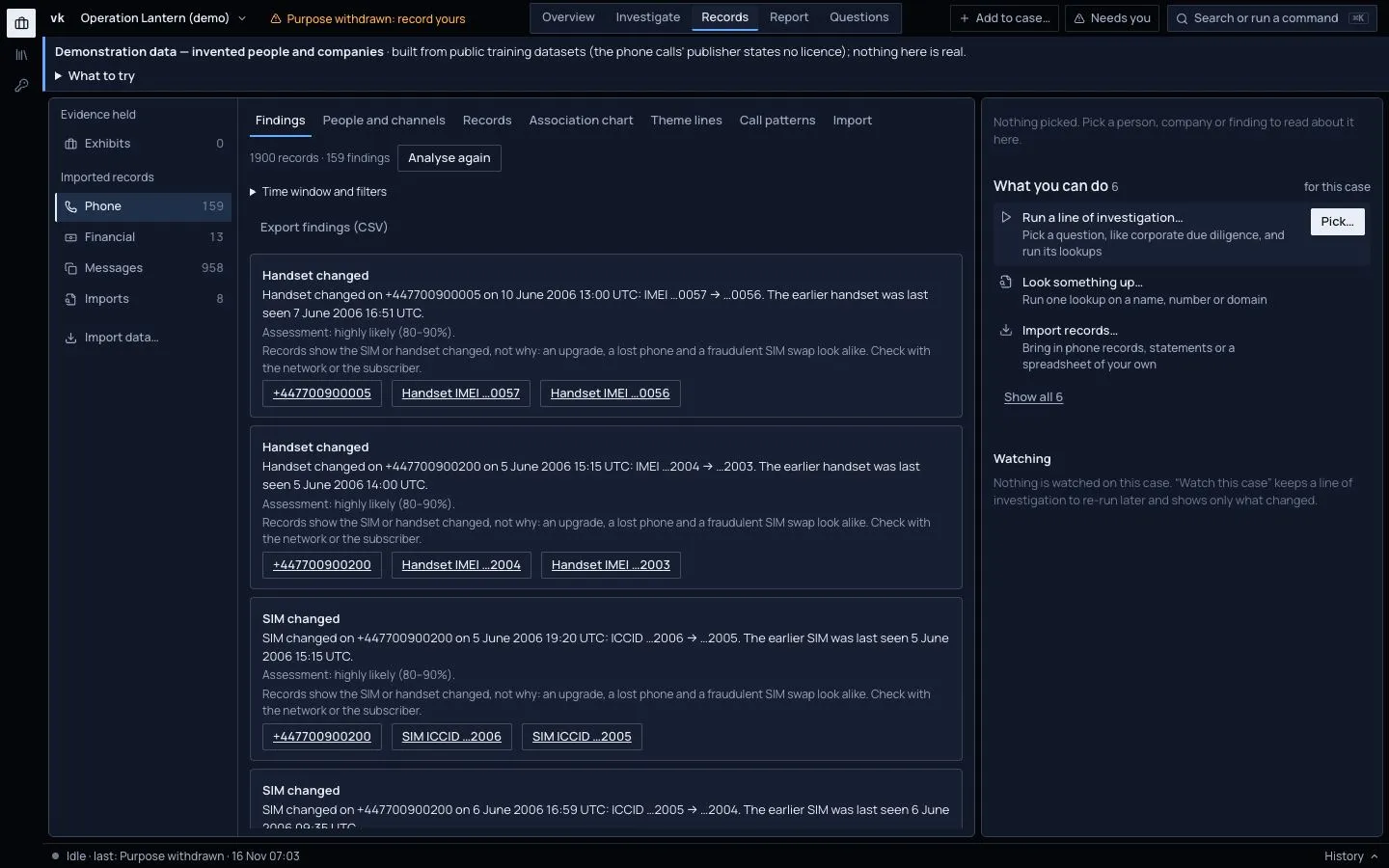
Open a finding to see the exact calls behind it. Open the original line in the file through the record number.
Check before you conclude
A SIM change is often innocent. People change phones and lose SIMs. The finding says when the change happened and what it rests on. Read the records either side.
Who calls whom
The Association chart draws numbers as dots and calls as lines, thicker for more calls, labelled with the count and the time spent. The busiest are first.
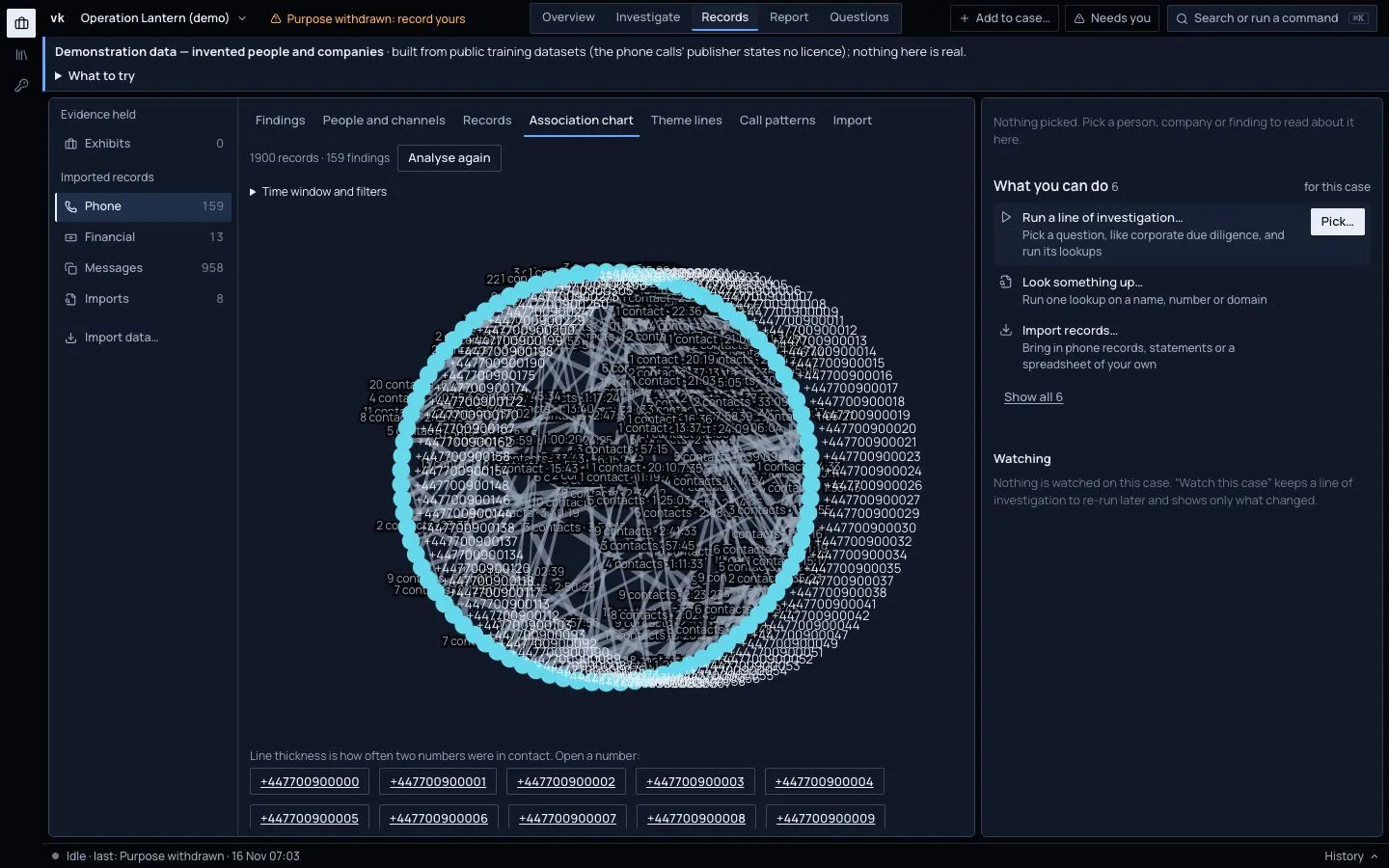
The case's own link chart, Investigate › Graph, draws calls the same way: one line per pair of phones, read "22 calls · 1 Jun–10 Jun". Click a line to list its calls, with their length and source, in the dossier. See Calls and payments as links.
Narrow by time
Press Time window and filters. You can set:
- a date range;
- a time of day, such as 22:00 to 06:00 (this runs over midnight, and uses UTC);
- how close in time counts as "together", in minutes.
The analysis runs again. SIM and handset changes are looked at over the dates only, so the hours you choose cannot hide one.
See activity as theme lines
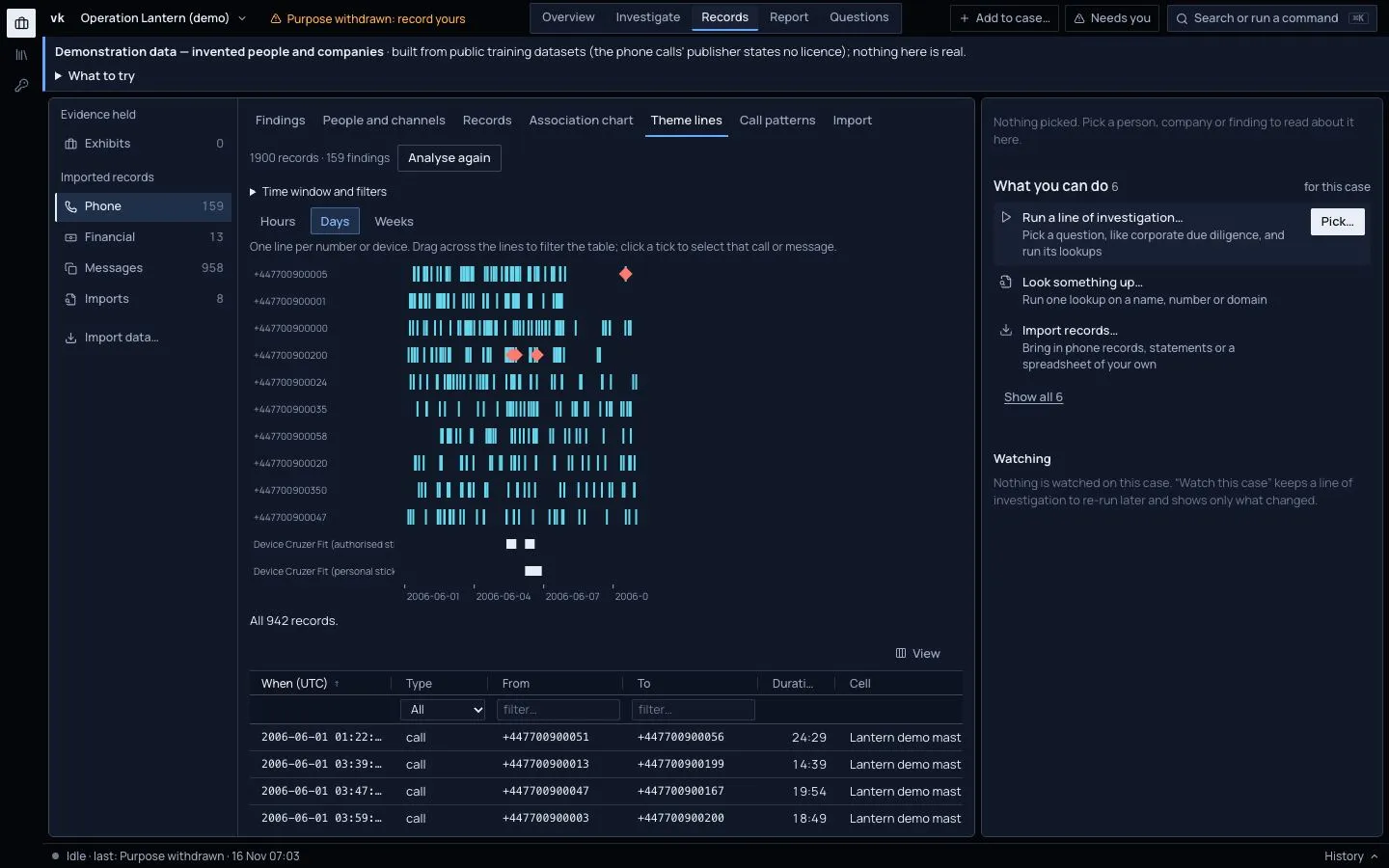
Theme lines show one lane per number, busiest first, and one per device. Ticks are calls and messages. Diamonds are SIM changes. Squares are device connections.
Zoom between hours, days and weeks. Drag across the lanes to filter the table below. Click a tick to select that call or message. Investigate › Timeline draws the same kind of lanes for any person, phone or account in the case, with a tie between two lanes for each call between them. See the workspaces for how to choose the lanes.
Call patterns for one number
Pick a number. You see records per contact per day or week, as small charts on one shared scale, and a heat map of hour of day against weekday (in UTC).
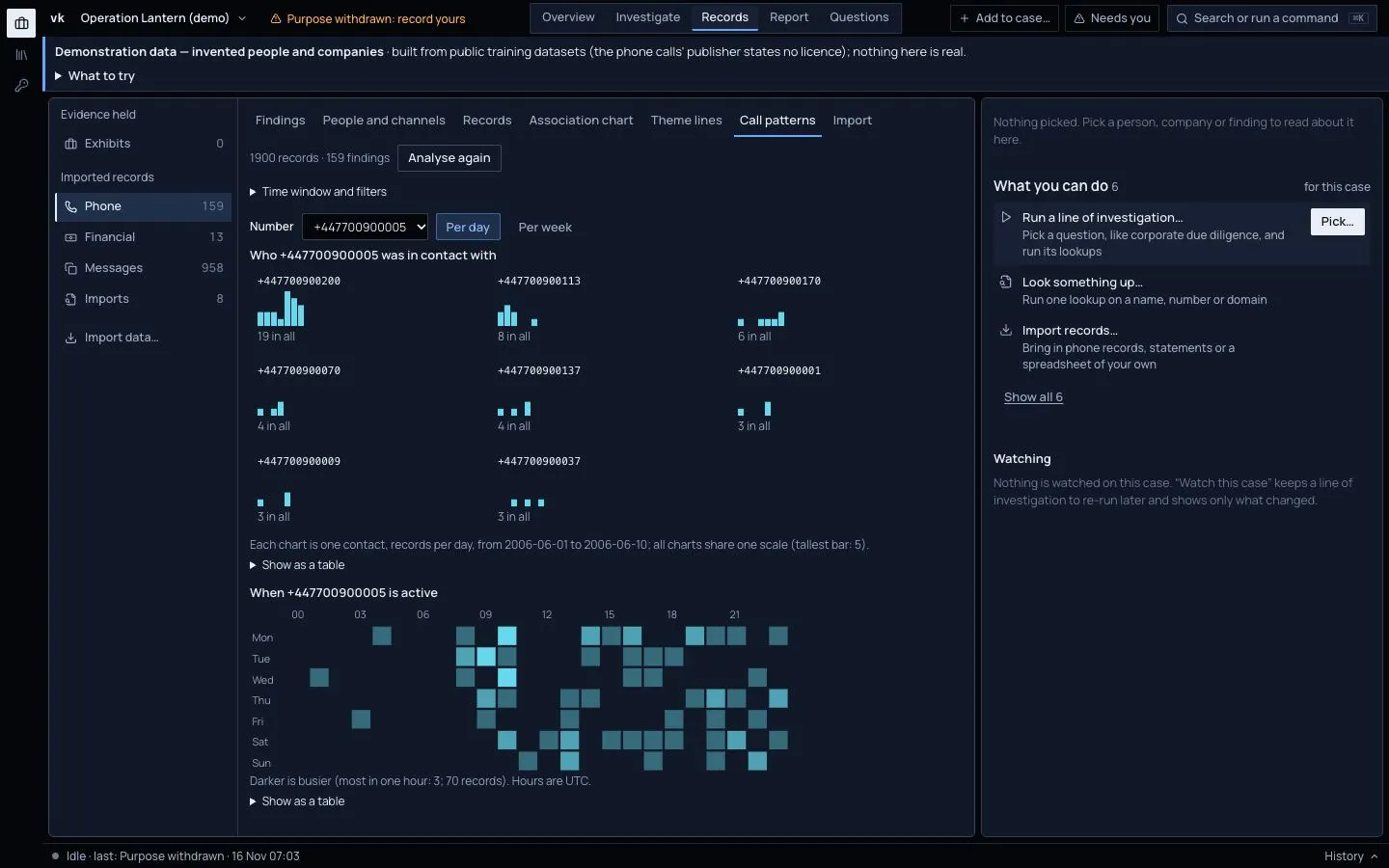
Each chart has Show as a table for a plain version.
Other cases that know the same thing
If another case you can open holds the same number, handset, SIM or USB device, the finding says "Also seen in: Case X (last seen 2025-03)". Under Also appears in, in the dossier, you see the same for one thing. A case that holds it only from restricted material is named, with no detail.
Export
Press Export findings (CSV) for the findings, or Export these N records (CSV) for the records as you filtered them. The report has a Phone records findings section.