Ask a question and review what it found
Sometimes you have a question rather than a lookup in mind: who controls this company? are these two people connected? is anyone around this firm on a sanctions list? when did this page first appear? Ask the case. Viokit works the question through the tools it already has, within a budget you set, and shows you every step it takes. Then it drafts findings for you to decide.
A finding is a draft. Viokit never accepts one for you. Until you accept it, a finding is not in the report.
Ask
Open the Questions workspace from the top bar, then press Ask a question….
-
Choose the Question. Each one says what it will do:
Question Starts from What it does Who controls this? 1 to 3 organisations or domains Runs Who is behind this company or Who is behind this website, then reads the owners, parents and persons with significant control it found Are these connected? 2 to 5 things in the case Looks for routes between them in the case. Only if there is none, it widens the case from each (two levels of lookups) and looks again. Then it looks for what they share Is anyone in this network on a sanctions list? 1 to 3 organisations or people Runs the Sanctions evasion screen, then reads every sanctions match and listing within three links When did this page first appear? 1 to 3 web addresses or domains Asks the Internet Archive for its earliest copy. The page itself is not visited -
Under Find something in the case, type part of a name and press Add beside each thing to start from. The thing you have selected in the case is added for you.
-
Set the budget: Most lookups and Most minutes for each run. A lookup that would go over the budget is not run. Set lookups to 0 to draft findings from what the case already holds.
-
Allow looking people up is off by default. Even when it is on, people are looked up only while the case has a recorded purpose (see Researching a person lawfully). If people are not allowed, Viokit says so at the step it skipped.
-
Press Ask and run it.
Watch it run
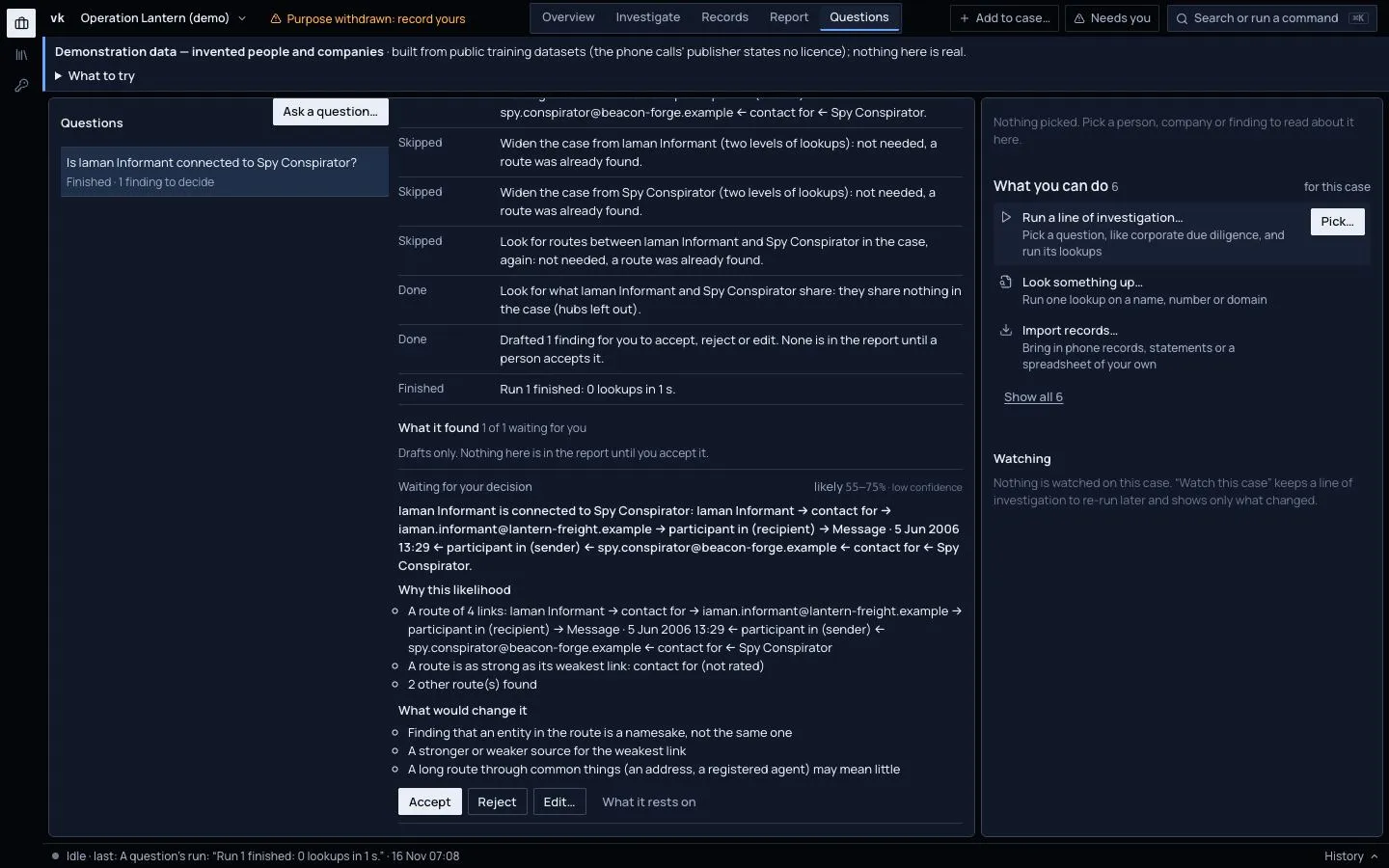
The question shows Running now while it works. What it did lists each step in plain words as it ends: what it used, and how it ended (Done, Skipped, Not allowed, Failed). You also see how many lookups it made and what it found. Steps that were not needed say so; for example, the case is not widened when a route is already known.
When it ends, the question says Finished, or Stopped at its budget if the budget ran out. Press Run it again to go further after raising the budget. A second run never drafts the same finding twice.
Decide what it found
What it found lists the draft findings. Each one has:
- the statement;
- a likelihood on the probability yardstick, with Why this likelihood. A draft is never more likely than its weakest record allows. A chain of links is as strong as its weakest link, a name match is likely at most, and "nothing found" is weak evidence;
- What would change it: what to check before you rely on it;
- What it rests on: the records behind it. Open one to see where it came from.
For each finding, press one of:
- Accept: it goes into the report as a key judgement, under your name and the date.
- Reject: it stays out of the report.
- Edit…: change its wording or its likelihood and give a reason. Then press Save and accept, or Save, decide later. The draft's own wording is kept beside yours.
You can change your mind with Decide again. Every decision is kept in the case history, with who made it and when. Nothing is overwritten.
The AI advisor
Let the AI advisor suggest which step to try first is off by default. When it is on, and AI suggestions are on in Settings and for the case, the advisor is asked one thing where the plan has a choice: which step to try first. It sees only the kind of question, the kinds of tool on offer and how the steps so far ended. It never sees a name, an id, a value or the words of your question. It cannot add a step or skip one. A step it chose says (AI advisor). See Use AI suggestions, and what they see.
For agents
An AI agent can ask and run questions through the same operations the console uses. Its findings wait here for a person to decide, just like your own.